Access Points
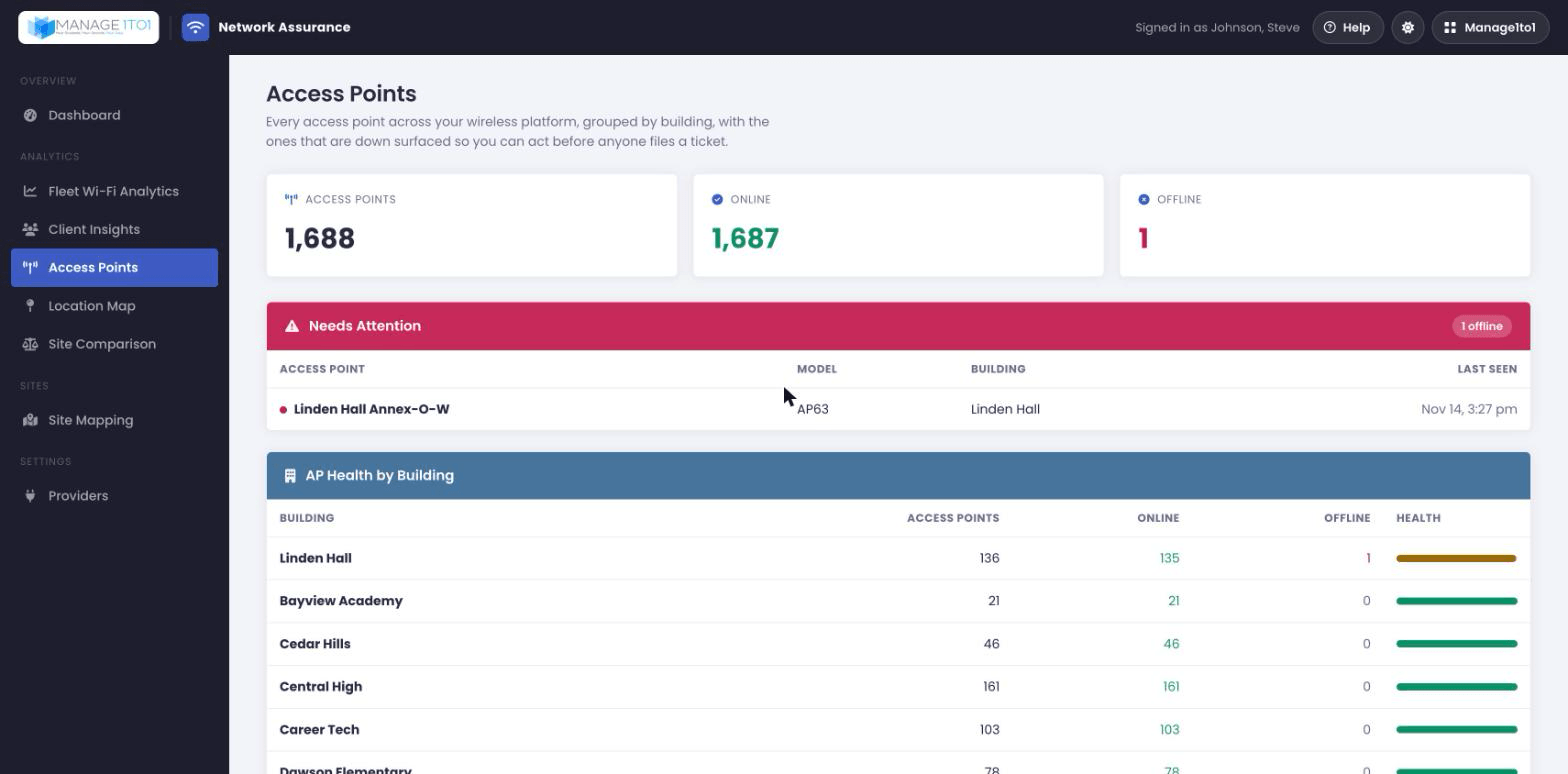
The Access Points page shows the state of the wireless hardware your devices actually connect to, organized by building so you can tell where a problem is, not just that one exists.
This page uses per-access-point detail that Juniper Mist reports today. With Aruba Central or Ruckus One, the page fills in as that detail becomes available from your platform. Your Wi-Fi health scores and per-device readings work with every supported platform.
What You'll See
Access points are grouped by site, with a clear read on how many are online and how many are offline in each building. An offline access point is one of the most direct causes of a Wi-Fi complaint: devices in that area lose their nearest connection and either drop or fall back to a weaker one farther away.
For each building you can see:
- How many access points are present
- How many are currently online
- How many are offline and need attention
Why It's Useful
- Find the dead zone fast. When a classroom reports "the Wi-Fi is down," an offline access point in that building is the first thing to check.
- Plan maintenance by building. Seeing offline counts per site tells you where to send someone, and whether an outage is isolated or widespread.
- Back up the health scores. A low Coverage or AP Availability score on the dashboard often traces straight back to an access point that's offline here.
A single offline access point in a busy area can generate a surprising number of "my device won't connect" tickets, because every device that used to lean on it is now reaching for a farther one. Checking this page early can turn a pile of device tickets into one network fix.
Common Questions
Q: What counts as "offline"? An access point your wireless platform is no longer hearing from. That usually means it lost power or its network connection. The exact timing depends on your platform's own reporting.
Q: Can I restart or change an access point from here? No. Network Assurance is read-only. It shows you access point health so you know where to act; changes are made in your wireless platform's own tools.