Client Insights
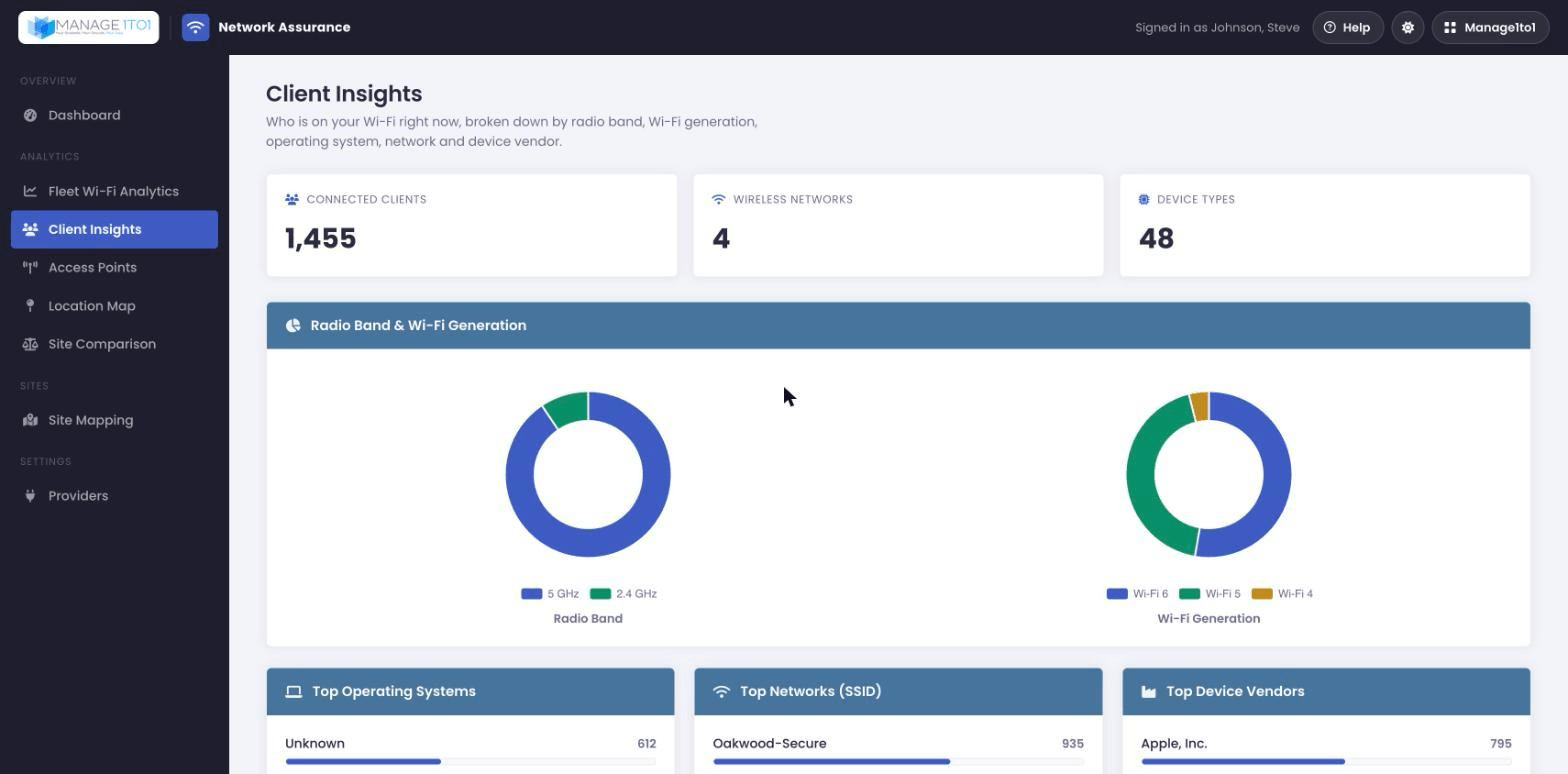
Client Insights shows you what's actually connected to your Wi-Fi and how it breaks down. Instead of a single device at a time, you see the whole population of connected clients grouped the ways that matter for planning and troubleshooting.
These breakdowns use per-client detail that Juniper Mist reports today. With Aruba Central or Ruckus One, this page fills in as that detail becomes available from your platform. Your Wi-Fi health scores and per-device readings work with every supported platform.
What You'll See
The page groups your connected clients across several dimensions:
- Band — how many clients are on each Wi-Fi band (such as 2.4 GHz, 5 GHz, and 6 GHz). A fleet stuck on the older, slower band is a common, fixable drag on performance.
- Wi-Fi Generation — the Wi-Fi standard devices are using (Wi-Fi 5, Wi-Fi 6, and so on), a quick read on how modern your connected fleet is.
- Operating System — the mix of operating systems on your network.
- Network — which wireless networks clients are joined to.
- Manufacturer — the hardware makers behind your connected clients.
Each breakdown is a simple distribution, so the big slices jump out and the outliers are easy to spot.
Why It's Useful
- Spot an old-standard drag. If a large share of clients sit on the slowest band or an older Wi-Fi generation, you've found an easy performance win.
- Confirm what belongs. The operating system and manufacturer mix should look like your fleet. Something unexpected in the breakdown is worth a closer look.
- Check network usage. The network breakdown shows whether devices are landing on the networks you expect them to.
Client Insights tells you what's connected; the Wi-Fi Health Dashboard tells you how well it's connecting. When a building's scores look crowded, the band and generation breakdowns often explain why.
Common Questions
Q: Is this every device I own? No. Client Insights describes what's connected to Wi-Fi right now, as reported by your wireless platform. A device that's powered off, on a wired connection, or off-site won't appear here.
Q: A device I manage isn't in a breakdown. Why? Only clients your wireless platform currently sees are counted. For how a specific Manage1to1 device links to its wireless client, see the Wi-Fi tab on the device profile.