Satisfaction Surveys (CSAT)
Satisfaction Surveys automatically ask the requester how a ticket went the moment it's resolved. It's a one-question survey they can answer in a couple of seconds without signing in, and every response rolls up into a Satisfaction (CSAT) dashboard so you can measure support quality and coach your team.
How it works
- A ticket is marked resolved (however that happens — a reply that closes it, a status change, a bulk action, or an automation)
- The requester is emailed a short "How did we do?" survey with a single link
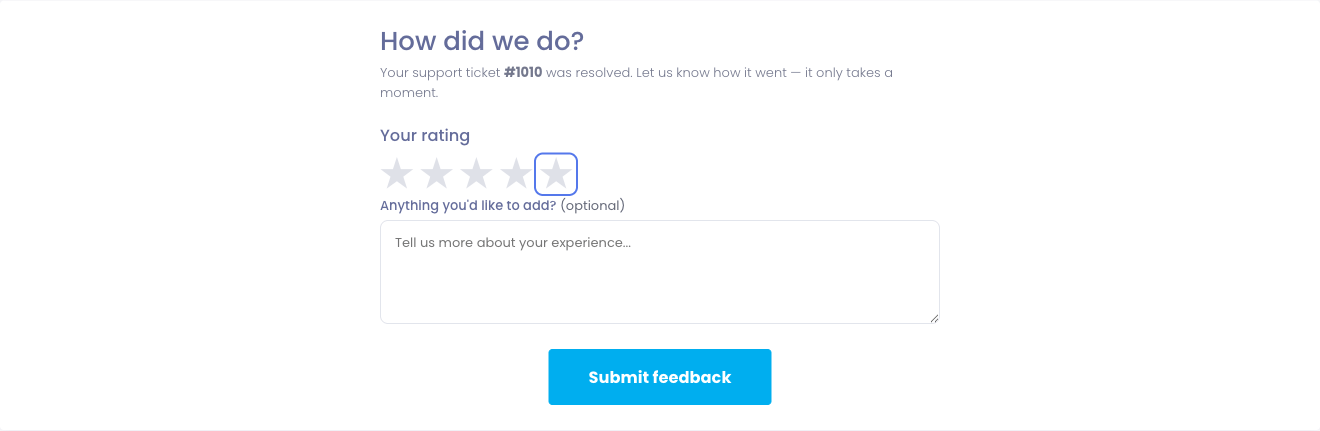
- They open the link and leave a rating — and an optional comment — without logging in
- The response appears on the Support → Satisfaction (CSAT) dashboard
Surveys are only sent for departments you've opted in, and only while the feature is switched on, so you're always in control of who gets asked.
Turning it on
Satisfaction surveys are off until you enable them.
- Go to Settings → Help Desk
- Turn on Post-Resolution Satisfaction Survey
- Choose the Satisfaction Survey Scale that fits how you like to measure:
- 5-star rating — the familiar one-to-five stars
- Thumbs up / down — a simple satisfied / not satisfied
- 0–10 (NPS-style) — a zero-to-ten scale
- Save
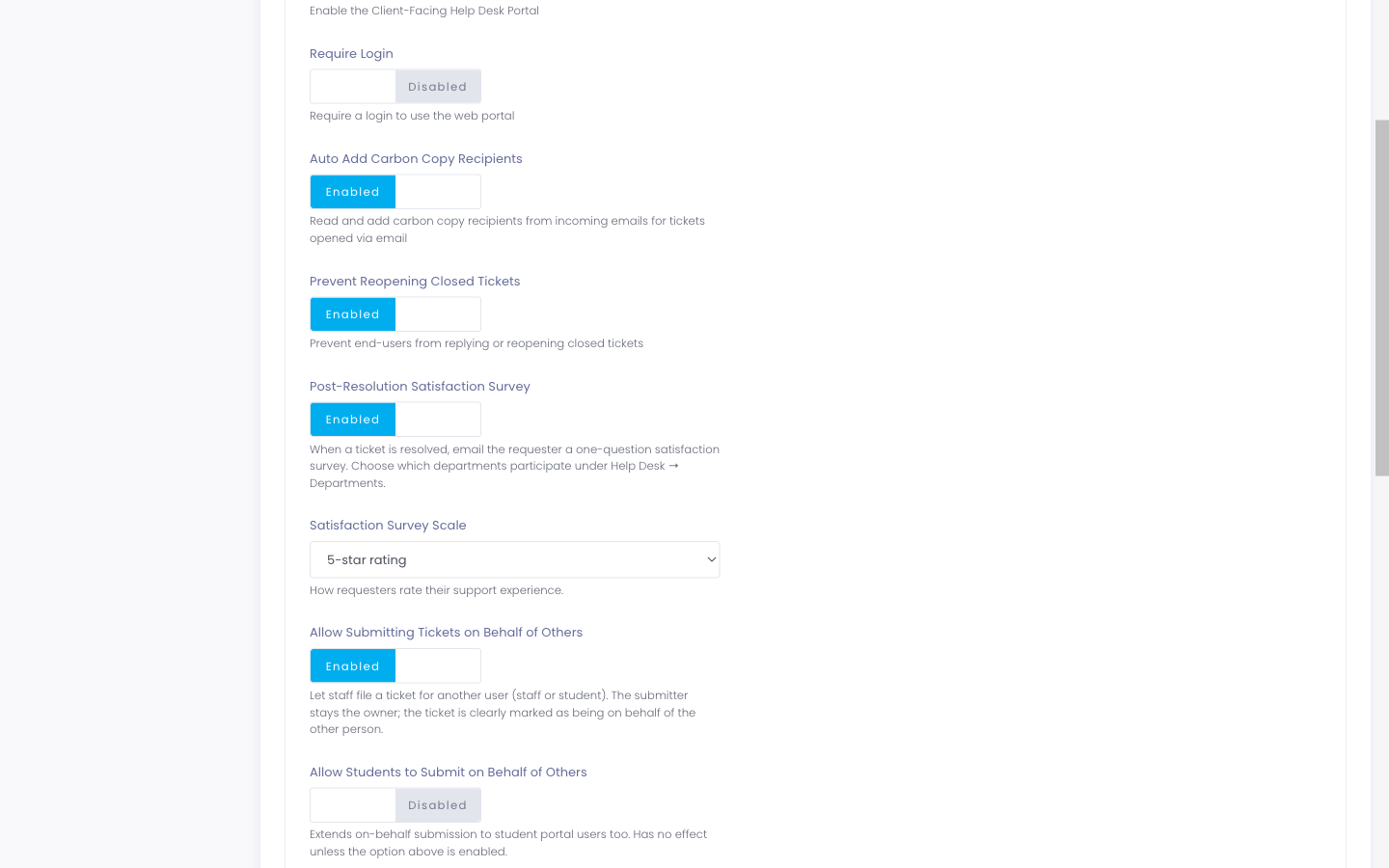
Not every ticket is worth a survey. On each department (Settings → Help Desk → Departments), the Send Satisfaction Survey toggle controls whether resolved tickets in that department are surveyed. Turn it off for departments where a survey would just be noise — automated password resets, for example — and leave it on for the ones where feedback matters, like hardware repairs.
What the requester sees
The survey link goes straight to a single, focused page — no sign-in, no account needed. The requester picks a rating, optionally adds a comment, and submits. That's it. A survey can be answered once; returning to the link afterward simply shows a thank-you.
Because it takes seconds and requires nothing of them, response rates stay high — which makes the numbers on your dashboard meaningful.
The Satisfaction (CSAT) dashboard
Open Support → Satisfaction (CSAT) to see how your team is doing. Everything can be filtered by period — the last 30 or 90 days, six months, or a year.
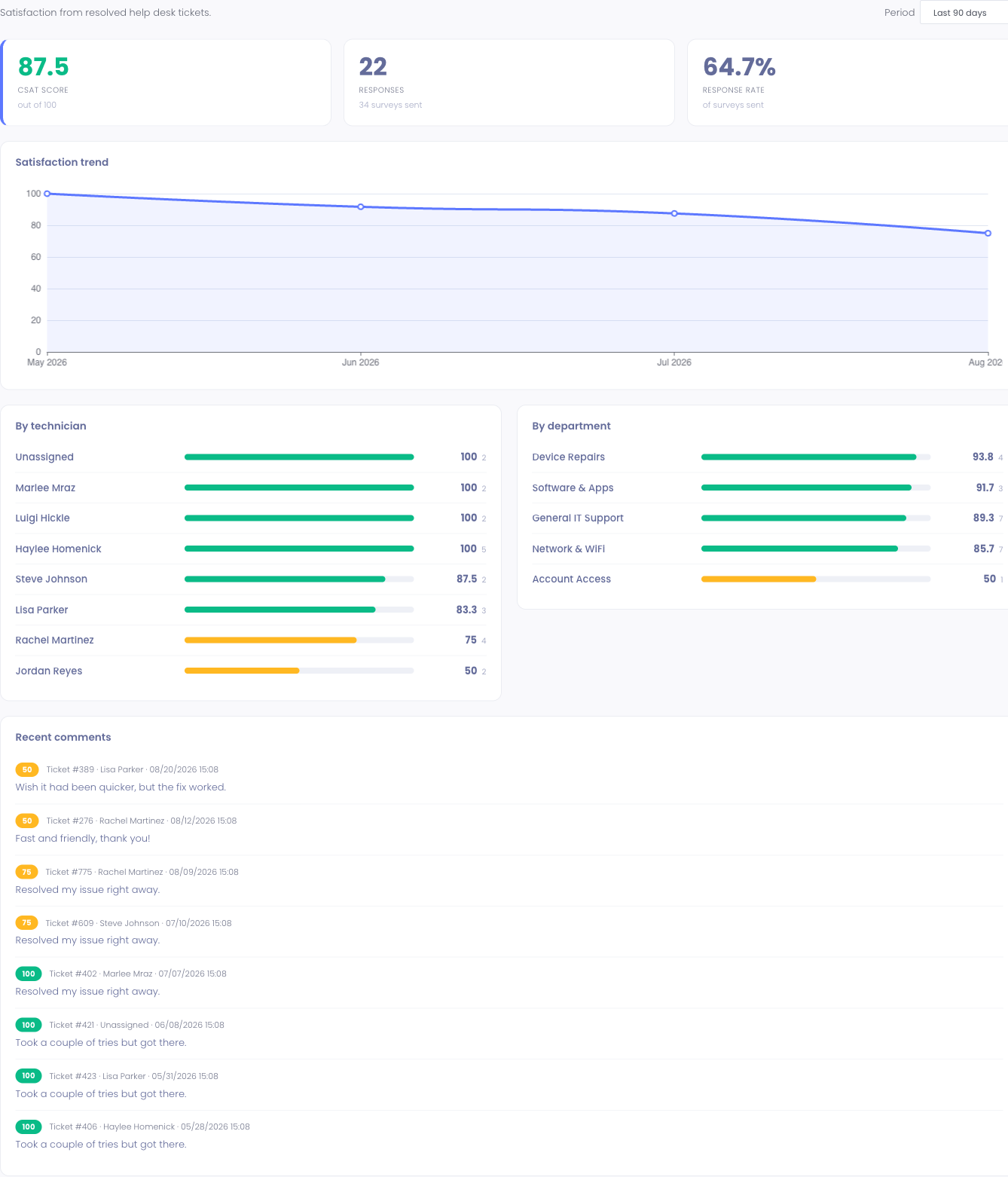
The dashboard shows:
- CSAT score — your overall satisfaction, on a 0–100 scale, whichever survey type you use
- Responses and response rate — how many people answered, out of how many were surveyed
- Satisfaction trend — how the score has moved month over month
- By technician — each technician's score and response count, so you can recognize your strongest support and spot where coaching helps
- By department — the same breakdown across departments
- Recent comments — what people actually wrote, alongside their rating
The dashboard is available to staff with the Help Desk Analytics permission — the same permission that governs the Support Dashboard. Everyone else on your team can keep resolving tickets without seeing the scores.