Automated School Year Rollover
Automated School Year Rollover is a system-wide utility designed to advance student grade levels and apply rollover rules between school years.
This is a critical annual process that updates the system for a new academic year.
To access System Utilities, you need the Manage Settings permission assigned to your role.
School year rollover affects the entire system. Run this utility only once per year during the designated rollover window. Coordinate with Manage1to1 Support if you have questions.
Understanding School Year Rollover
Think of school year rollover as annual system advancement - it increments the school year, advances student grade levels, and applies graduation logic all at once to prepare the system for a new academic year.
What this utility does:
- Increments the system school year value (e.g., 2024-2025 → 2025-2026)
- Advances student grade levels (K → 1, 1 → 2, ..., 11 → 12)
- Applies graduation logic to seniors (12 → Graduated)
- May apply other district-specific rollover rules
When to use:
- Once per year, typically in summer
- After current school year ends
- Before new school year begins
- Only during designated rollover window
When NOT to use:
- Mid-year (will disrupt active school year data)
- During active enrollment periods
- Before coordinating with IT/administration
- Without reviewing on-screen rollover rules first
Important: This action affects all students system-wide and cannot be easily undone. Always coordinate timing with district administration and Manage1to1 Support.
Timing Guidance
Recommended Rollover Window
For data quality reasons, do not run rollover during active summer transition windows unless directed by support.
Typical rollover timing:
- After: Final grades submitted, graduations complete, end-of-year reporting finished
- Before: New school year enrollment begins, devices distributed for new year
Common rollover window: Mid-to-late summer (July-August)
If your environment has a recommended rollover window: Follow the guidance displayed on your page. Rollover timing may be coordinated across multiple district systems.
Coordinate with:
- District IT staff
- SIS administrator (rollover may need to happen in SIS first)
- Manage1to1 Support (especially for first-time rollover)
- District administration
What is Affected
Common rollover changes include:
System school year:
- Current year incremented (2024-2025 → 2025-2026)
- Displayed throughout system
- Affects reporting date ranges
Student grade levels:
- K → 1
- 1 → 2
- 2 → 3
- ...
- 11 → 12
- 12 → Graduated (or inactive, depending on configuration)
Graduated seniors:
- 12th graders may be marked as graduated
- May be automatically inactivated (frees up licenses)
- Historical data preserved
AUP acceptance flags:
- All promoted students (grades K–11 → 1–12) have their AUP acceptance flag reset to not accepted, so users re-sign your new-school-year Acceptable Use Policy at next login or checkout.
Device fee flags:
- All promoted students have their Device Fee status reset to unpaid for the new school year.
Import automation pause:
- Student Import and Guardian Import automation are turned off as part of the rollover so a scheduled sync doesn't overwrite the just-rolled-forward roster before your new-school-year files have been uploaded. Re-enabling is a manual step covered below.
Other possible changes (varies by district configuration):
- Pre-K advancement logic
- Special grade level handling
- Custom rollover rules
Important: Always rely on the on-screen rule list shown in your environment as the definitive checklist of what will occur. Configuration varies by district.
How to Run School Year Rollover
Prerequisites:
- ✓ Coordinated timing with district administration
- ✓ End-of-year processes complete (grades, graduations, reports)
- ✓ Backups completed (request from Support if needed)
- ✓ Review on-screen rollover rules
- ✓ Understand what will happen system-wide
Steps:
- Navigate to Settings → System Utilities → System tab
- Locate Automated School Year Rollover
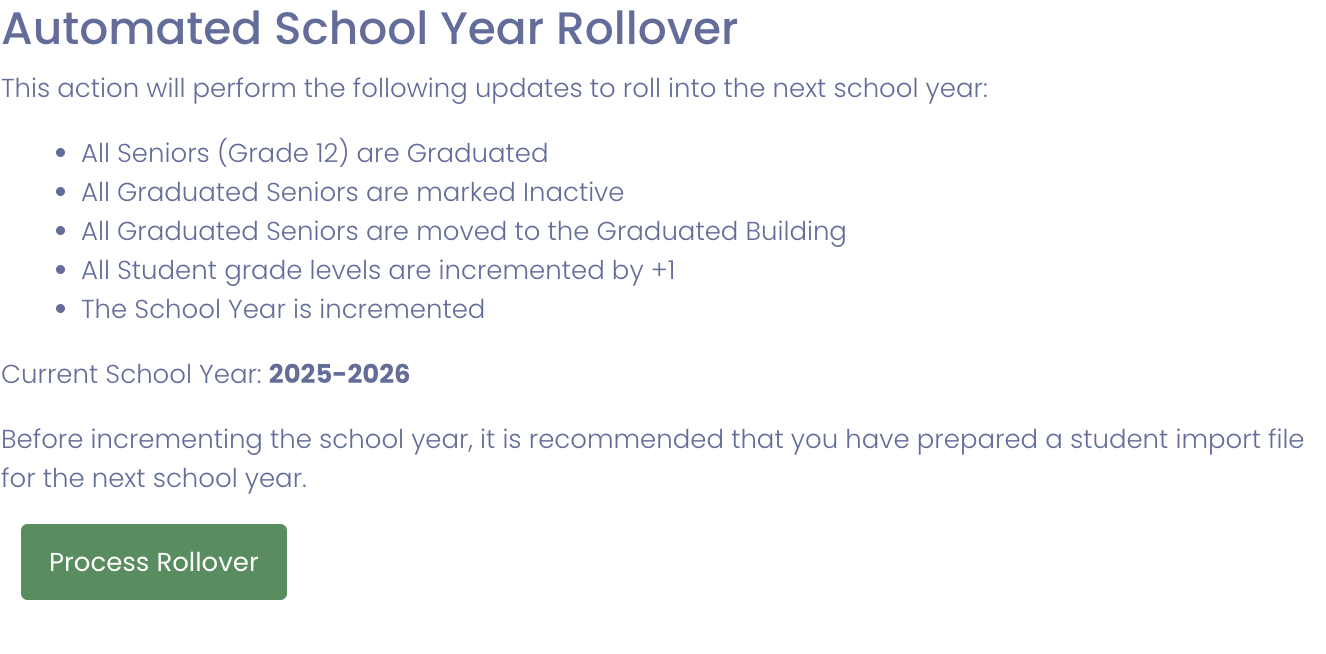
- Read the on-screen checklist carefully — it is the definitive list of what will happen
- Confirm you are ready for system-wide changes
- Click Process Rollover
- In the confirmation dialog, click Yes, roll over to proceed (or Cancel to back out)
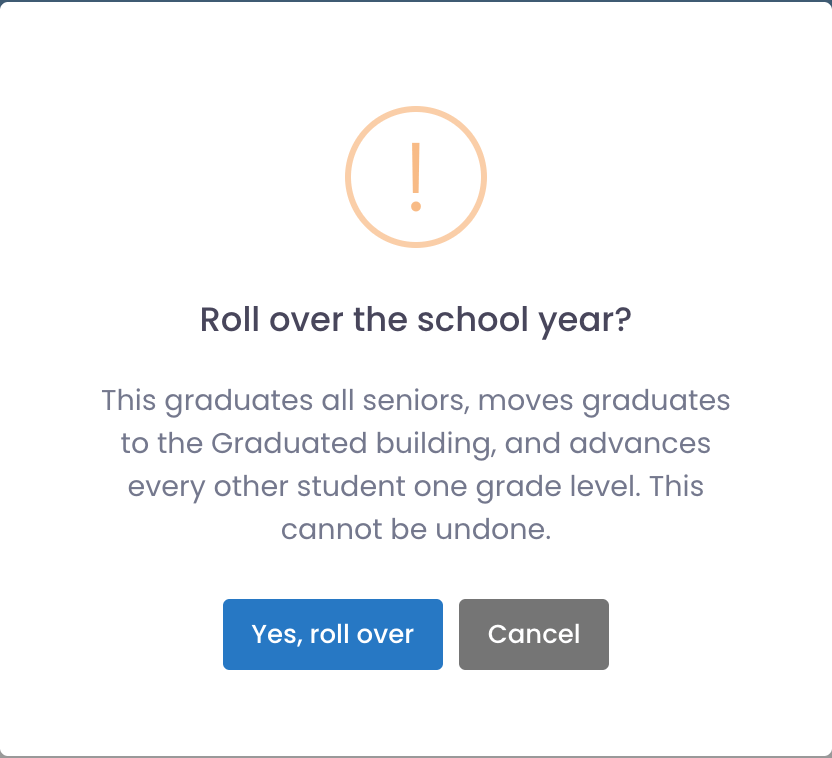
- Wait for processing to complete (may take several minutes)
- Verify rollover completed successfully
What happens:
- School year incremented
- All student grade levels advanced
- Graduation logic applied
- System updated for new academic year
Processing time: Varies by district size. Small districts: 1-2 minutes. Large districts: 5-10 minutes.
If Process Rollover Is Unavailable
The Process Rollover button is intentionally locked outside the situations where a rollover is safe to run. When it's unavailable, the button is greyed out and the card explains why:
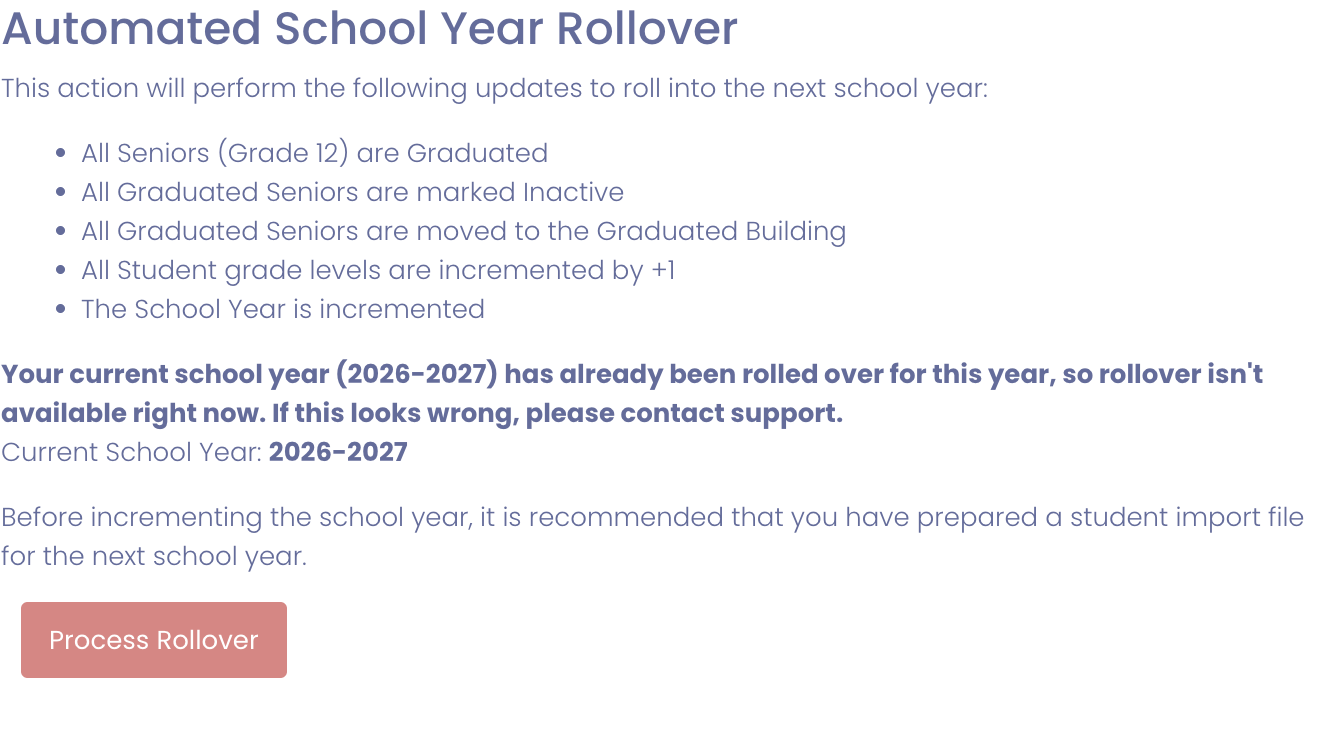
You'll see this in two situations:
- You've already rolled over this school year. Rollover runs once per year. Once you've advanced into the new school year, the button stays locked for the rest of the year so it can't be run a second time by mistake.
- It's outside the rollover window. For data safety, rollover is only available June 1 through August 31.
If you haven't rolled over yet but the button won't enable, contact Manage1to1 Support and we'll help sort it out.
After Rollover: Re-Enable Student + Guardian Import Automation
The rollover pauses Student Import and Guardian Import automation as one of its final steps. This is intentional — it prevents the next scheduled import run from overwriting your just-rolled-forward grades before your new-school-year roster files have been uploaded.
Once your new-school-year student and guardian roster files are in place and you're ready to resume automated imports, you must turn each one back on manually:
- Navigate to Settings → Automation Settings
- Find Student Import — toggle to Enabled
- Find Guardian Import — toggle to Enabled
- Save
Until both are re-enabled, your district's scheduled student / guardian sync will not run, and a fresh roster file dropped into the import folder will sit there untouched.
Staff Import is not paused — staff don't graduate, so the same risk doesn't apply.
Recommended Validation
After rollover, verify changes were applied correctly:
Grade levels:
- Confirm grade levels updated as expected
- Check sample students across all grade levels
- Verify K-11 students advanced one grade
- Confirm 12th graders graduated or marked appropriately
Graduated seniors:
- Confirm graduated or senior logic applied as expected
- Check that 12th graders transitioned correctly
- Verify graduated students marked inactive (if configured)
System-wide:
- Confirm users and devices still reflect expected assignment behavior
- Run reports to verify data integrity
- Check inventory counts are reasonable
- Test sample workflows (checkouts, incidents, invoicing)
Recommended verification checklist:
- Check school year display throughout system
- Verify 10-15 student grade levels across different grades
- Confirm graduated seniors handled correctly
- Run user count report (total active students)
- Test checkout workflow to ensure still functional
- Review any automated processes (imports, reports)
If problems found: Contact Manage1to1 Support immediately. Rollover issues should be addressed quickly.
Best Practices
✅ Do:
- Coordinate timing with district administration
- Run during recommended rollover window
- Review on-screen rules before processing
- Verify current school year data is complete
- Back up data before rollover (request from Support)
- Validate results after processing
- Communicate rollover timing to staff
❌ Don't:
- Run mid-year or during active enrollment
- Process without understanding what will happen
- Skip coordination with IT/administration
- Run rollover multiple times
- Process during business hours (run during off-hours if possible)
- Rush without proper validation afterward
Common Questions
Q: Can I undo school year rollover? Not easily. Rollover is designed to be run once per year and affects all students. If rollover was run incorrectly, contact Manage1to1 Support immediately for assistance.
Q: What happens to graduated students? Depends on configuration. Typically, 12th graders are marked as graduated and may be automatically inactivated. Historical data (checkouts, incidents, invoices) is preserved.
Q: Can I run rollover more than once? Not recommended. Rollover should be run once per year. Running it multiple times will advance grades incorrectly. Contact Support if you need to re-run rollover.
Q: When exactly should I run rollover? After the current school year ends and before the new school year begins. Coordinate with SIS rollover timing. Common window: mid-to-late summer (July-August).
Q: Will rollover affect devices or incidents? No. Rollover primarily affects school year and grade levels. Devices and incidents remain associated with users, though graduated students may be inactivated.
Q: Do I need to run rollover if we use OneRoster? Yes. OneRoster sync updates users based on SIS data, but school year rollover in Manage1to1 is still needed to increment the system school year.
Q: What if some students shouldn't advance a grade? Manual corrections can be made after rollover. Rollover applies standard advancement (each grade +1), but individual students can be edited afterward if needed (retained students, special cases).
Automated School Year Rollover is a critical annual process that prepares Manage1to1 for a new academic year by advancing grade levels and incrementing the system school year. Proper timing and validation ensure smooth transition between school years.